100 Spotlight Photoshop Brushes for Dynamic Design Effects
Transforming Flat Images into Cinematic Visuals
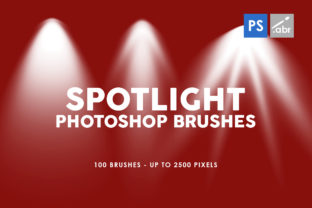
We often spend hours perfecting the color grading and composition of an image, only to find it still lacks that elusive "wow" factor. The difference between a standard graphic and a truly immersive piece of art often comes down to lighting. This is where the 100 Spotlight Photoshop Brushes collection enters the conversation. This is not merely a random assortment of dots; it is a curated set of high-resolution textures designed to emulate the drama and focus of professional stage lighting. Inside this package, you will find 100 distinct brush presets that allow you to paint with light, creating depth, atmosphere, and narrative focus within your digital canvas.
The visual personality of these brushes is defined by their ability to control the viewer's eye. Unlike generic lighting overlays that can look flat or artificial, these textures offer a nuanced approach to illumination. They range from tight, focused beams that mimic theatrical follow-spots to broader, atmospheric washes that suggest natural sunlight filtering through a window. Because they work with any version of Photoshop, they bridge the gap between legacy workflows and modern creative cloud environments, ensuring that whether you are a seasoned professional or a hobbyist, the tools remain accessible. The appeal lies in their versatility; they are equally at home in a gritty digital photo manipulation as they are in a clean, corporate presentation slide.
Practical Applications Across the Creative Spectrum
Understanding where to deploy the 100 Spotlight Photoshop Brushes is key to maximizing their value. For photographers and digital artists, these brushes serve as powerful photo overlays. Imagine a portrait where the background is slightly too busy. By applying a spotlight texture, you can darken the periphery and draw immediate attention to the subject's face, enhancing the visual hierarchy without complex masking. In the realm of game design and concept art, these textures are invaluable for creating visual effects—think sci-fi interface glows, magical auras, or the harsh lighting of a dungeon scene.
Beyond photography and gaming, the utility extends heavily into marketing and branding. Content creators and social media managers constantly fight for attention in crowded feeds. Using these brushes to add a "spotlight" effect behind a headline or a call-to-action button can significantly increase engagement. For small business owners creating their own flyers or menus, a subtle light overlay can elevate a DIY design to look professional and polished. It adds a layer of depth that separates amateur graphics from professional brand identity assets. Even crafters can utilize these for digital scrapbooking, adding a touch of realism to fantasy-themed pages or highlighting specific elements in a collage.
Integrating Light into Your Design Workflow
When incorporating the 100 Spotlight Photoshop Brushes into a project, the goal is to enhance, not overwhelm. One common mistake in digital photo manipulation is applying effects at full opacity. For a realistic look, it is often better to paint the spotlight on a new layer and reduce the opacity to 30% or 40%. This creates a natural integration with the underlying image. You can also experiment with blending modes like "Screen" or "Linear Dodge" to make the light interact realistically with the shadows in your composition.
Evaluating project fit involves looking at the existing color palette and mood of your design. If you are working on a moody, cinematic poster, a harsh, high-contrast spotlight works perfectly. However, for a soft wedding invitation or a wellness brand, you would want to choose a brush with softer edges and a lower opacity setting. This collection allows for that kind of granular control. It is also worth considering how these brushes pair with your typography. If you have a bold display font or a heavy serif font, a spotlight can help ground the text, ensuring it doesn't float aimlessly in the background.
Technical Specifications and Creative Freedom
The technical specifications of this set are designed for maximum compatibility and quality. With sizes up to 2500 pixels, these brushes maintain their integrity even in high-resolution print projects or large-format web designs. You do not need to worry about pixelation when scaling up for a poster or a banner. Furthermore, because they function as standard Photoshop brushes, they integrate seamlessly into your existing workflow. There is no need for external plugins or complicated software extensions. You simply load the brushes, select your color, and paint.
For those involved in editorial design or packaging design, lighting is a subtle but critical component of visual hierarchy. A spotlight effect can isolate a product image, making it the undeniable focal point of the layout. It guides the reader's eye through the page in a specific sequence—first to the image, then to the headline, and finally to the body copy. This level of control is usually reserved for expensive design assets or complex 3D rendering, but these brushes democratize that capability. They offer a practical shortcut to achieving high-end results without the steep learning curve.
Ultimately, the value of the 100 Spotlight Photoshop Brushes lies in their ability to add narrative weight to a visual. Light tells a story; it suggests time of day, mood, and importance. By mastering these tools, you move beyond simply arranging elements on a page and begin truly crafting experiences. Whether you are refining a logo design, producing social media graphics, or working on personal artwork, these brushes provide the versatility and quality needed to elevate your creative output. They are a robust addition to any designer's toolkit, offering endless possibilities for those willing to experiment with the interplay of light and shadow.