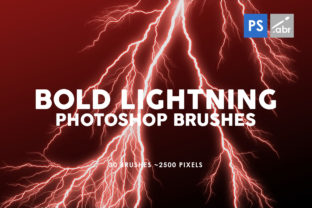
30 Bold Lightning Photoshop Brushes: A Designer's Secret Weapon
Ever stare at a project that feels flat, missing that spark of energy or drama? You've got the composition, the color palette, the core message, but the visual impact just isn't there. This is a common hurdle, and often, the solution isn't a complete overhaul but a strategic injection of a powerful visual element. Enter the 30 Bold Lightning Photoshop Brushes—a toolkit designed to inject instant electricity, metaphorical and literal, into your creative work.
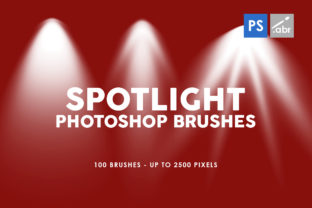
This collection isn't just a random set of lines. Each of the 30 brushes inside is crafted to mimic the raw, unpredictable beauty of a lightning strike. We're talking about high-resolution textures, with sizes going up to 2500 pixels, ensuring they remain crisp and detailed even in large-format designs. The personality here is one of controlled chaos: jagged forks, glowing branches, and subtle atmospheric glow. The appeal is universal for any creator wanting to convey power, speed, innovation, or a touch of the supernatural. They work seamlessly with any Photoshop version, making them an accessible yet premium font equivalent in the world of digital assets.
Where Electricity Meets Design: Practical Applications
Think of these brushes not as a one-trick pony, but as versatile design assets. Their application spans far beyond literal storm scenes.
- Photo Overlays & Manipulation: This is their core strength. Add a dramatic backdrop to a portrait, create a superhero movie poster effect, or enhance a night-time cityscape. They act as superb visual effects for games or artwork, giving a character's magic spell or a sci-fi weapon its defining energy.
- Brand Identity & Marketing: For a tech startup, an energy drink, or a fitness brand, lightning symbolizes power and innovation. Use a single, stylized bolt as a decorative element in a logo, or weave subtle sparks into social media graphics and website banners to create a dynamic, energetic brand perception.
- Publishing & Editorial Design: Imagine the chapter headings in a thriller novel or the background of a magazine feature on extreme sports. These brushes can establish mood and visual hierarchy instantly, guiding the reader's eye and setting the tone before a word is read.
- Digital & Print Projects: From animated website headers and game UI elements to bold poster designs and album art, the high-resolution nature ensures they look fantastic on screen and in print. They are a creative font in visual form, adding a layer of typographic-style emphasis.
Influencing Perception: More Than Just a Pretty Spark
The strategic use of these brushes does more than just decorate; it communicates. A well-placed lightning effect can elevate your project's professionalism and engagement.
Visual Hierarchy & Readability: Used as a background texture behind light-colored text, they can create a stunning, high-contrast display that demands attention. As a subtle frame or border, they draw the viewer's focus to your central message. This is modern typography in action—using graphic elements to support and enhance the written word.
Brand Recognition & Consistency: Developing a signature style with these brushes—like using a specific type of bolt as a recurring motif—can become a recognizable part of your brand identity. It adds a layer of depth and intentionality to your visual language, making your work more memorable across different platforms, from social media graphics to packaging design.
Emotional Engagement: Lightning inherently triggers a reaction: awe, excitement, danger, or wonder. By incorporating these textures, you're not just showing a product or idea; you're evoking a feeling. This emotional resonance is what transforms passive viewers into engaged audiences, whether they're reading a blog, browsing an online store, or viewing a portfolio.
Making the Most of Your Bolt: A Practical Guide
Getting great results from the 30 Bold Lightning Photoshop Brushes is about thoughtful application. Here’s how to approach it like a seasoned designer.
Evaluate Project Fit First: Ask yourself: does the energy of lightning align with the message? It's perfect for themes of power, speed, technology, magic, and transformation. It might clash with themes of calm, serenity, or traditional elegance. Context is everything.
Test and Pair Thoughtfully: Don't just slap them on. Experiment with blend modes (Screen, Linear Dodge, and Color Dodge often work best for a glowing effect) and opacity. For font pairing, consider how the brush's style interacts with your typeface. A bold, jagged lightning effect pairs well with strong, geometric sans serif font choices for a modern, technical feel. For a more mystical vibe, it could complement a elegant serif font or a flowing script font.
Master the Details: The included brushes offer variety. Some are thick and powerful, ideal for main focal points. Others are finer, perfect for adding intricate, sparkling details around text or objects. Use a layer mask to erase parts and make the bolts appear to weave behind elements in your scene, adding depth and realism.
Commercial Confidence: For entrepreneurs and small business owners, licensing is key. These brushes are designed for commercial use, allowing you to incorporate them into client projects, merchandise, and marketing materials without worry. This makes them a reliable component of your professional toolkit, much like a trusted commercial font.
Ultimately, the 30 Bold Lightning Photoshop Brushes are more than a simple download. They are a catalyst for creativity. They provide a fast, effective way to solve the "flat design" problem, add professional polish, and communicate with visceral impact. Whether you're a designer refining a client's brand, a marketer crafting an eye-catching ad, or a hobbyist personalizing a project, this collection offers a direct line to dynamic, high-energy visual storytelling.