Watercolor Strokes for Procreate: Your Artistic Toolkit
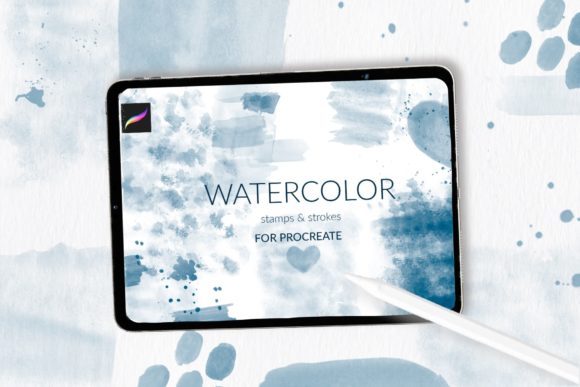
For any designer working on the iPad, achieving an authentic, hand-painted look can often feel like a complex challenge. You want the organic texture of real paint without the mess or the steep learning curve. This is where the Watercolor Strokes for Procreate collection changes the game. It’s not just a set of digital brushes; it's a carefully curated toolkit designed to bring the beautiful, unpredictable nature of watercolor directly into your digital workflow. The appeal lies in its immediate visual personality—soft, blended edges, rich pigment textures, and the subtle grain of cotton paper that makes every stroke feel tangible and real.
More Than Just Brushes: A Complete Watercolor System
This collection is built for versatility and ease of use. At its core are 31 stamp brushes, each offering a different stroke, texture, or decorative shape. These aren't your standard round brushes. They are pre-designed elements that allow you to build compositions quickly, layering different watercolor effects to create depth and interest. Think of them as your palette of pre-mixed, ready-to-apply paint swatches, each with its own unique character.
Complementing the strokes are 3 watercolor splash stamp brushes. These are perfect for adding dynamic, energetic accents to your work—a splatter here for movement, a wash there for background interest. To complete the system, the inclusion of a watercolor cotton paper pattern brush is a standout feature. This allows you to instantly apply the authentic texture of artist-grade paper as a background layer, ensuring your entire canvas has that cohesive, handcrafted foundation. This combination of strokes, splashes, and paper texture makes Watercolor Strokes for Procreate a truly comprehensive solution for creating premium font alternatives and artistic elements.
Practical Applications for Real-World Projects
The true value of any design asset is measured by its utility. This toolkit excels in projects where warmth, authenticity, and a personal touch are paramount. It’s an ideal companion for crafting brand identity elements that need to feel approachable and artisanal. Imagine creating a logo for a boutique bakery, a handmade cosmetics line, or a wellness studio—the watercolor textures immediately convey care and craftsmanship.
Beyond logos, the applications are extensive:
- Packaging Design: Use the strokes and splashes to create unique product labels, gift tags, and box designs that stand out on the shelf.
- Editorial & Publishing: Design beautiful chapter headers, section dividers, or full-page illustrations for magazines, cookbooks, or lifestyle blogs.
- Greeting Cards & Stationery: This is a natural fit. Build entire card designs, from backgrounds to decorative borders and focal illustrations, perfect for wedding invitations, thank-you notes, and seasonal greetings.
- Social Media Graphics & Web Design: Create eye-catching Instagram stories, quote graphics, website banners, and hero images that feel organic and engaging, breaking through the monotony of flat, digital aesthetics.
- Sublimation Design & Craft Projects: The high-quality textures are perfect for creating designs that will be transferred onto mugs, t-shirts, and other physical products.
Using Watercolor Strokes for Procreate can significantly influence visual hierarchy and audience engagement. A textured background drawn from the paper brush grounds your design, while a bold stroke can guide the viewer's eye to a key headline or call-to-action. The inherent softness of the watercolor style also affects readability; it’s best used for display headings, short quotes, or as decorative elements rather than for long blocks of body text. Pairing these watercolor elements with a clean, simple sans serif font often creates a beautiful contrast that is both legible and stylistically compelling.
Integrating the Toolkit into Your Workflow
Getting started is straightforward, but there is an important compatibility note. The primary file is a .brushset file, which is designed for Procreate version 4.1 or later. This allows for one-tap installation of all 34 brushes into your library. If you are using an older iPad or Procreate version 4.0 or earlier, the .brushset format is not available. However, the creator offers a practical solution: you can request individual .brush files for each brush.
For Procreate 4.1 and later (using .brushset):
- Download the .brushset file to your iPad.
- Tap on the downloaded file. Procreate will automatically launch and import the entire set into your Brushes panel.
For Procreate 4.0 and earlier (using individual .brush files):
- Download the folder containing the .brush files to your iPad.
- Open the Files app and navigate to the downloaded folder.
- Tap and hold a .brush file, then choose Share.
- If "Open in Procreate" isn't visible, tap More, scroll to find it, and select it.
- Repeat for each brush you wish to install.
Once installed, experiment by layering different strokes. Use the pattern brush to create a base paper texture on a separate layer, then paint on top. Adjust the opacity and blend modes of your watercolor layers to achieve subtle, blended effects. This toolkit doesn’t just give you new brushes; it gives you a new creative font of visual language to work with, expanding your ability to produce commercial font alternatives and bespoke artwork that feels genuinely handmade. For designers, marketers, and creators looking to add a layer of authenticity to their digital work, this is a practical and powerful addition to your Procreate library.